
How to Rekey a SmartKey Lock Without the Original Key
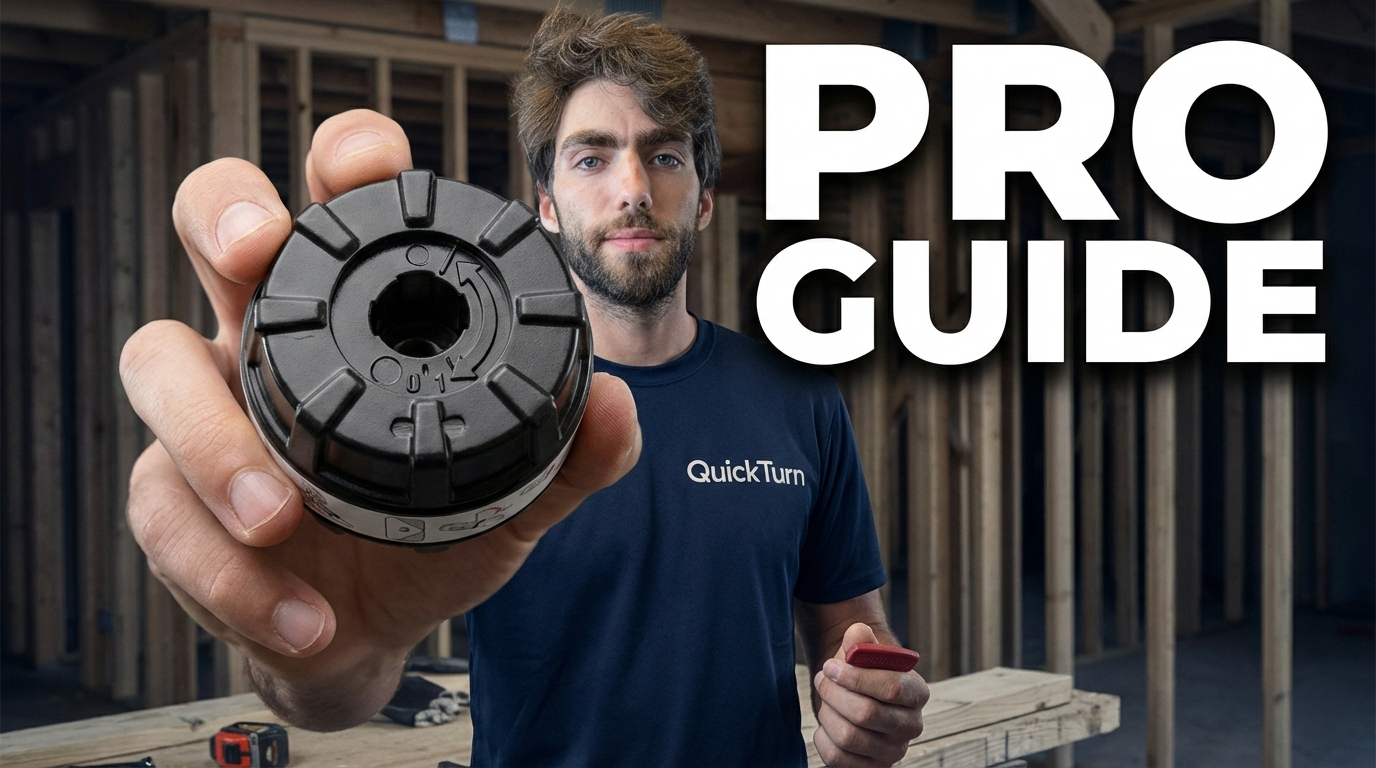
Lost your SmartKey or dealing with a tenant who didn't return their keys? You don't need to replace the entire lock. This guide shows property managers and homeowners how to reset and rekey a Kwikset SmartKey cylinder using a specialized reset tool—even when you don't have the working key.
The Problem: No Key, No Access
If you manage rental properties or own a home with Kwikset SmartKey locks, you've probably encountered this frustrating scenario: a tenant moves out without returning keys, or you've simply lost the only working key to a lock.
Normally, SmartKey technology makes rekeying incredibly easy—just insert the old key, use the reset tool, and program a new key. But what happens when you don't have the original working key?
That's where most people think they need to replace the entire lock hardware. Fortunately, there's a better solution that costs a fraction of the price and takes just minutes.
Watch the Full Tutorial
What You'll Need
Required Tools
Small flathead screwdriver
SmartKey Cylinder Reset Tool (the specialized tool for this job)
SmartKey rekey tool (the small silver tool that comes with SmartKey locks)
Your new set of keys (the keys you want the lock to accept)
Where to Get the Reset Tool
The SmartKey Cylinder Reset Tool is the key to this entire process. This isn't something that comes with your lock—it's a professional-grade tool designed specifically for resetting cylinders without the original key.
You can purchase this tool online through locksmith supply retailers or major e-commerce platforms. It's a worthwhile investment for property managers who deal with multiple SmartKey locks.
Step-by-Step: Resetting Your SmartKey Cylinder
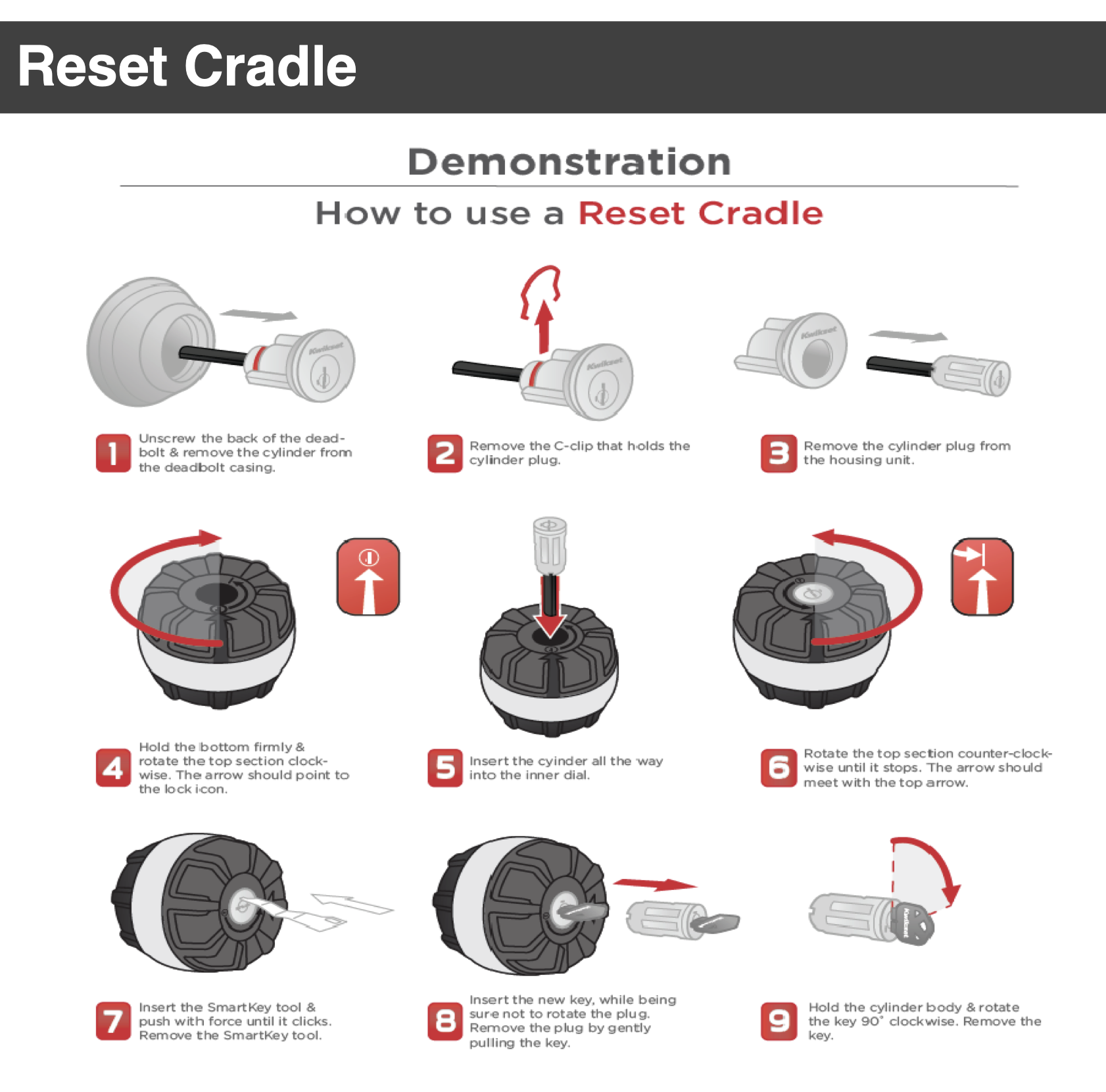
Step 1: Remove the Cylinder from the Lock
First, you need to remove the SmartKey cylinder from whatever hardware it's installed in (deadbolt, keyed handle, etc.).
For a deadbolt:
Remove the interior mounting screws
Separate the interior and exterior portions
The cylinder will be accessible from the exterior side
For a keyed handle:
Remove the handle's interior mounting screws
Pull the handle apart
Access the cylinder from the exterior side
Once you have the cylinder out, you'll see a small metal bracket on the back holding it in its housing.
Step 2: Remove the Cylinder from Its Housing
Use your flathead screwdriver to carefully pry off the metal bracket on the back of the cylinder
Slide the cylinder out of its plastic or metal housing
Set the housing aside—you'll need it for reassembly
You should now be holding just the brass cylinder in your hand.
Step 3: Insert the Cylinder into the Reset Tool
This is where the specialized reset tool comes in.
The SmartKey Cylinder Reset Tool has specific alignment markings:
An arrow indicator
A circle indicator
Proper alignment is critical:
Orient the cylinder so the keyway (where the key goes) is facing the correct direction
Align the cylinder with the markings on the reset tool—the arrow should point toward a specific feature on the cylinder
Insert the cylinder into the tool until it's fully seated and aligned
If the cylinder isn't properly aligned, the reset won't work. Take your time with this step.
Step 4: Use the SmartKey Rekey Tool to Trigger the Reset
Now you'll use the standard SmartKey rekey tool (the small silver tool that came with your lock).
Insert the rekey tool into the small hole on the side of the cylinder while it's still in the reset tool
Push the tool in firmly—this releases the internal pins
You should feel a slight click indicating the pins have been reset
The cylinder is now in "reset mode" and ready to accept new keys.
Step 5: Program Your New Keys
With the cylinder still in the reset tool:
Insert one of your new keys into the keyway
Turn the key slightly (about 1/4 turn)
Remove the key
Test the key by inserting and turning it again—it should work smoothly
Important: Program all your new keys at this stage. Insert each key, turn it, and remove it. This ensures all keys in your set will work with the reset cylinder.
Step 6: Remove the Cylinder and Reassemble
Carefully remove the cylinder from the reset tool
Slide the cylinder back into its original housing
Reattach the metal bracket on the back to secure it
Reinstall the cylinder into your deadbolt or keyed handle
Reassemble the lock hardware with the mounting screws
Step 7: Test Your Work
Before you call it done:
Insert your new key from the outside
Turn the deadbolt or handle—it should operate smoothly
Test all keys in your set to verify they all work
Lock and unlock multiple times to ensure consistent operation
Congratulations! You've successfully reset your SmartKey cylinder without the original key.
Why This Matters for Property Managers
Save Money on Lock Replacements
Instead of replacing entire locksets at $40-$80 each, you can reset cylinders for a fraction of the cost. For property managers overseeing multiple units, this adds up quickly.
Faster Turnover Between Tenants
When a tenant moves out without returning keys, you can reset locks immediately rather than waiting for new hardware to arrive. This keeps your turnover timeline on track.
Maintain Security
Even if you suspect a former tenant made copies of their keys, resetting the cylinder ensures those copies won't work. You get complete peace of mind without the expense of new locks.
Consistent Key Systems
If you use SmartKey locks across multiple properties, you can rekey them all to work with a master key system, making property management significantly easier.
Common Questions
Q: Will this work on all SmartKey locks?
A: Yes, this method works on all Kwikset SmartKey cylinders, including those in deadbolts, keyed entry handles, and keyed knobs.
Q: Can I reuse the old keys after resetting?
A: No. Once you reset the cylinder, only the new keys you programmed during the reset process will work.
Q: How many times can I reset a SmartKey cylinder?
A: SmartKey cylinders can be reset multiple times. There's no practical limit for normal use.
Q: Is this legal for landlords to do?
A: Absolutely. Property owners have every right to rekey locks on their properties, especially between tenancies.
Q: What if I don't have a SmartKey rekey tool?
A: The rekey tool (the small silver tool) typically comes with every SmartKey lock. If you've lost it, you can purchase replacements online for just a few dollars.
Alternative: When to Call a Locksmith
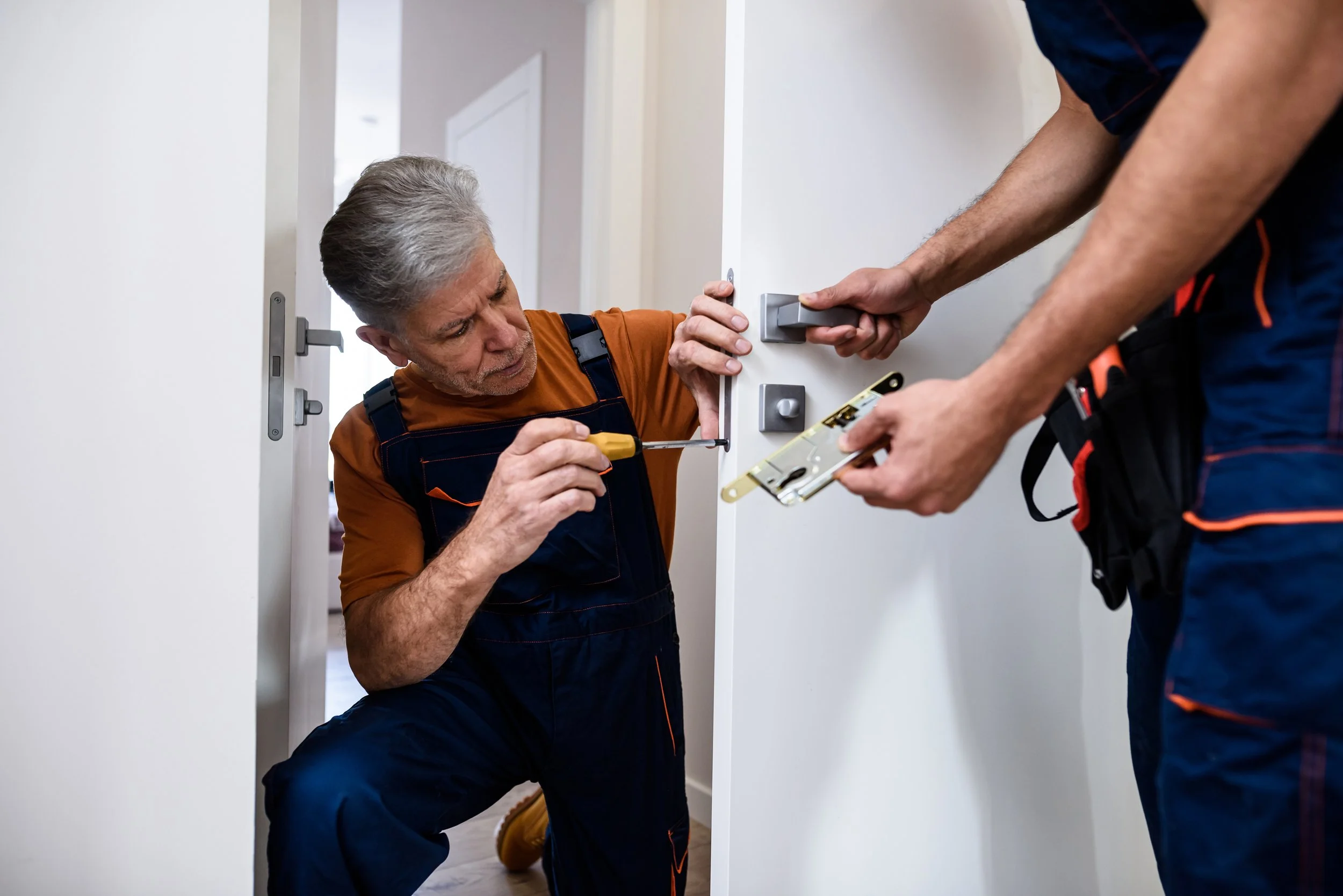
While this process is straightforward, some situations warrant professional help:
You're uncomfortable working with lock hardware
The cylinder appears damaged or corroded
You need to rekey dozens of locks quickly
You're setting up a master key system across multiple properties
The lock mechanism has failed entirely
A professional locksmith can handle these more complex scenarios efficiently.
Conclusion: Take Control of Your Lock Security
Losing keys or dealing with unreturned tenant keys doesn't have to mean expensive lock replacements. With a SmartKey Cylinder Reset Tool and a few minutes of your time, you can completely reset your locks and maintain security without breaking the budget.
This is an essential skill for property managers, landlords, and even homeowners who want to take control of their home security. Once you've done it a few times, the process becomes second nature.
Property Maintenance Made Simple
At QuickTurn Maintenance, we believe in empowering property owners with the knowledge and skills to handle common maintenance tasks efficiently. Whether you're managing one rental or an entire portfolio, mastering these techniques saves time and money.
Need professional maintenance services or have questions about property management? Our experienced team handles everything from lock rekeying to complete unit turnovers.
Contact QuickTurn Maintenance today to learn more about our property maintenance services.
